 Minimal Paste
Paste
6 Best Paste Alternatives in 2026 (Mac)
The best Paste alternatives for Mac in 2026. Paste costs $29.99 a year or $99.99 lifetime. Compare Minimal Paste ($9.99 once), Maccy, PastePal, Raycast, and more.

| App | Best for | Starting price | Key difference |
|---|---|---|---|
| Minimal Paste | A one-time price and a local Mac shelf | $9.99 one-time | Clips and files from folders in one shelf, no account |
| Maccy | A free, open source history list | Free | Free and open source, keyboard-first list |
| PastePal | A one-time price with iPhone and iPad apps | $14.99 one-time | One purchase on the App Store covers Mac, iPhone, and iPad |
| Raycast clipboard history | People who already live in the Raycast launcher | Free (Pro $10/month or $96/year) | Clipboard history is one command inside a launcher |
| Pastebot | Power users who want filters and paste stacks | $39, or $24.99/year | Filters, Smart Pastebins, and sequential paste |
| macOS clipboard history | Finding a recent copy without installing anything | Free, built into macOS | Lives inside Spotlight, no extra app |
| Paste (for reference) | History synced across Mac, iPhone, and iPad | $2.49/month, $29.99/year, or $99.99 lifetime | iCloud sync and Pinboards on every Apple device |
1. Minimal Paste
Who it is for: Mac users who want clipboard history and the files they reach for in one shelf, for one price, with nothing leaving the Mac.
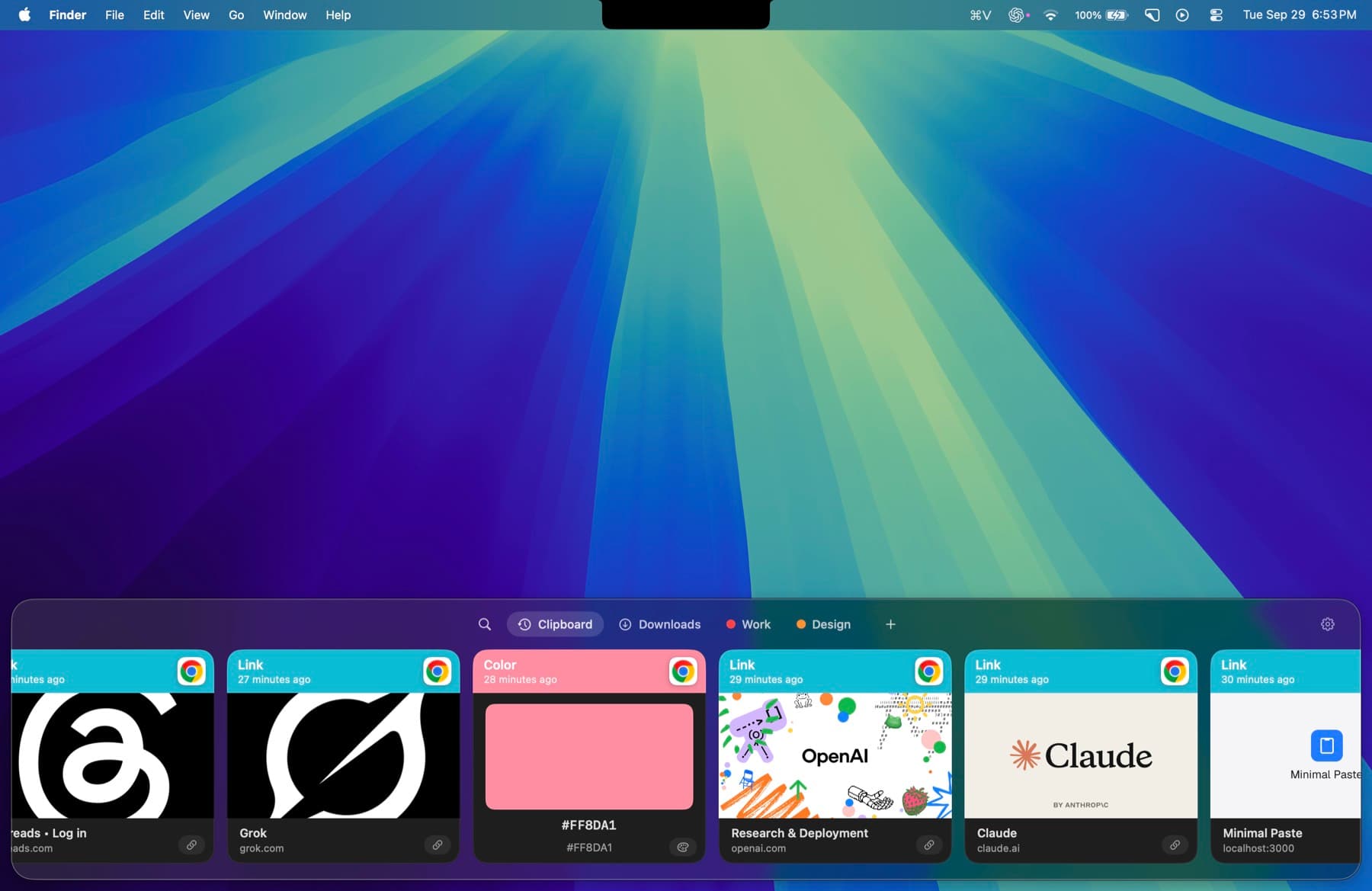
Where it beats Paste:
- $9.99 once instead of $29.99 every year, or $99.99 for Lifetime
- History stays on this Mac. No account and no iCloud.
- A Folders shelf puts Downloads and Screenshots next to your clips
Features:
- A shelf that opens with ⇧⌘V from any app. Return pastes back into it.
- Search that filters clips and folder files as you type
- Pins and groups for the clips you keep
- A Folders shelf for Downloads, Screenshots, or any folder you add
- Pause capture and ignore apps
- Local only. No account, no iCloud.
Price: $9.99 one-time for 3 Macs. macOS 14 or later. 7-day trial with the full app and no credit card.
Minimal Paste vs Paste
| Feature | Minimal Paste | Paste |
|---|---|---|
| Price | $9.99 one-time for 3 Macs | $2.49/month, $29.99/year, or $99.99 lifetime |
| Devices | Mac only, 3 Macs | Mac, iPhone, and iPad on every plan |
| macOS | macOS 14 or later | macOS 14 or later |
| Trial | 7 days, full app, no credit card | 7 days. Website download needs no credit card. |
| Where data lives | Local only. No account, no iCloud. | Your devices and your private iCloud |
| Organizing | Pins and groups | Pinboards for snippets, links, colors, and templates |
| Files | Folders shelf for Downloads, Screenshots, or any folder | Not described on Paste's pricing page |
Try Minimal Paste
$9.99 once for 3 Macs. 7-day trial, no credit card. Clipboard history stays on this Mac.