Skip to content
Minimal Paste

macOS clipboard history

6 Best macOS Clipboard History Alternatives in 2026

The best alternatives to macOS clipboard history in Spotlight in 2026. Compare Minimal Paste ($9.99 once), Maccy, Paste, PastePal, Raycast, and Pastebot.
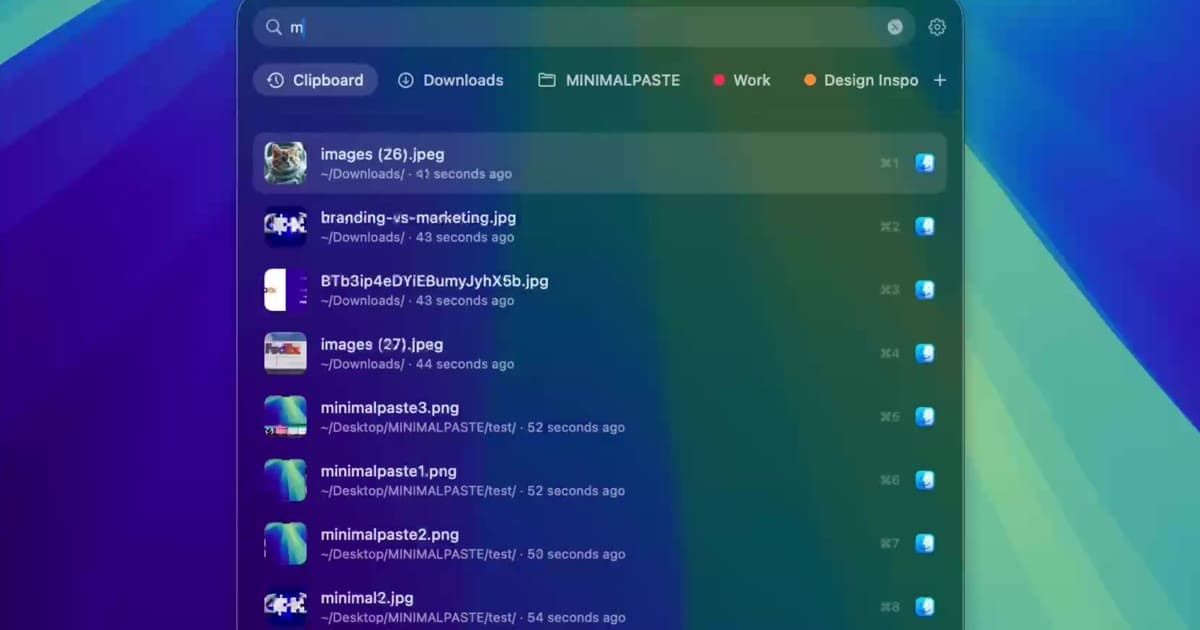
Minimal Paste search filtering files and clips after typing in the shelf

Apple added clipboard history to Spotlight, so you can find a recent copy without an app. People still look for alternatives because it takes several steps to reach, and Apple does not document pins or folders.

Here are the best alternatives to macOS clipboard history in 2026, with official prices checked today.

TL;DR comparison

macOS clipboard history alternatives at a glance
AppBest forStarting priceKey difference
Minimal PasteA one-time price and a local Mac shelf$9.99 one-timeClips and files from folders in one shelf, no account
PasteHistory synced across Mac, iPhone, and iPad$2.49/month, $29.99/year, or $99.99 lifetimeiCloud sync and Pinboards on every Apple device
MaccyA free, open source history listFreeFree and open source, keyboard-first list
PastePalA one-time price with iPhone and iPad apps$14.99 one-timeOne purchase on the App Store covers Mac, iPhone, and iPad
Raycast clipboard historyPeople who already live in the Raycast launcherFree (Pro $10/month or $96/year)Clipboard history is one command inside a launcher
PastebotPower users who want filters and paste stacks$39, or $24.99/yearFilters, Smart Pastebins, and sequential paste
macOS clipboard history (for reference)Finding a recent copy without installing anythingFree, built into macOSLives inside Spotlight, no extra app

1. Minimal Paste

Who it is for: Mac users who want clipboard history and the files they reach for in one shelf, for one price, with nothing leaving the Mac.
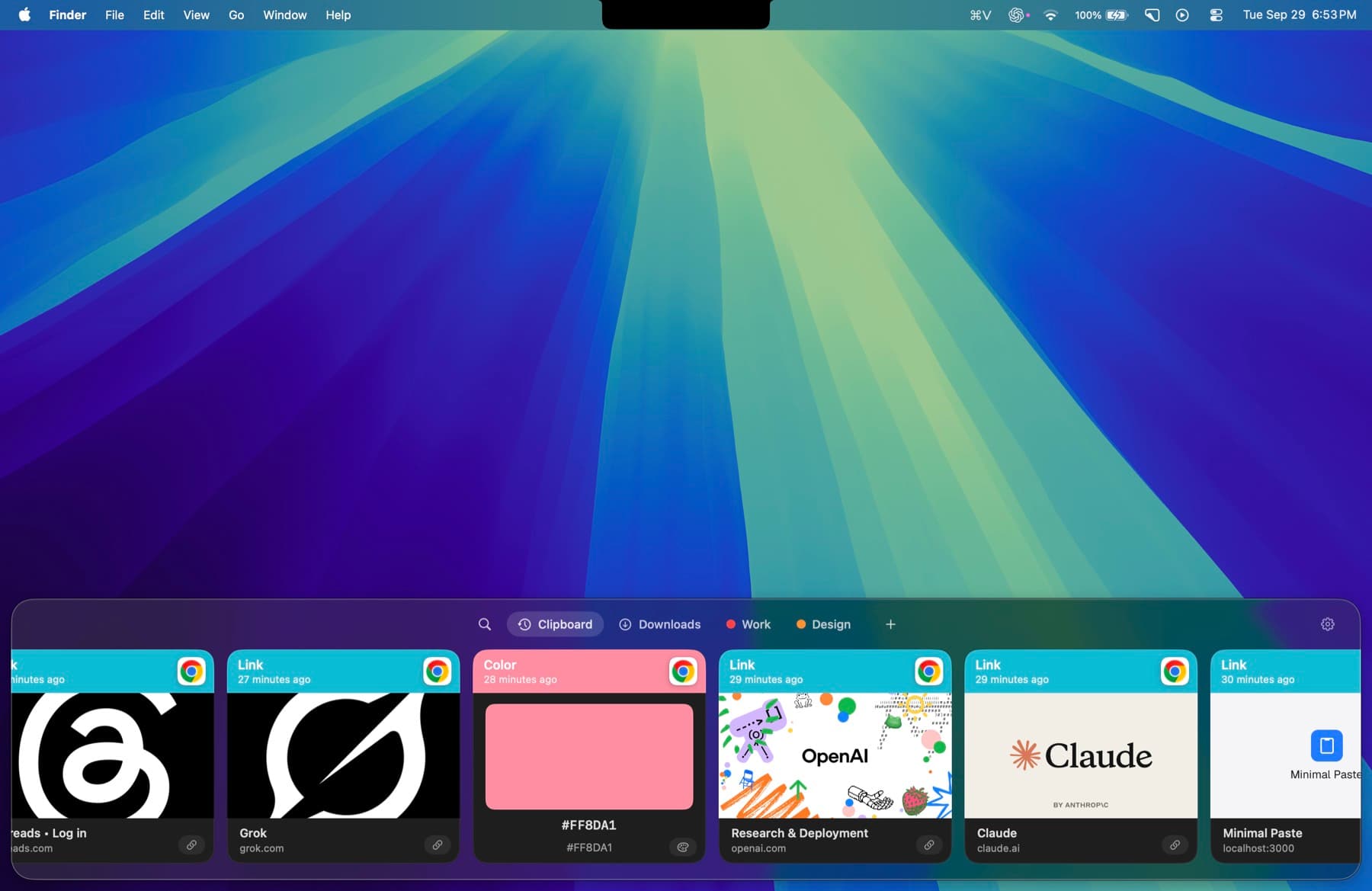
Minimal Paste shelf floating along the bottom of a Mac desktop, showing recent clipboard cards for links, colors, and images
Shift-Command-V opens the shelf. Return pastes into the app you left.

Where it beats macOS clipboard history:

  • ⇧⌘V opens the shelf from any app, and Return pastes into it
  • Pins and groups for clips you keep
  • A Folders shelf for Downloads and Screenshots

Features:

  • A shelf that opens with ⇧⌘V from any app. Return pastes back into it.
  • Search that filters clips and folder files as you type
  • Pins and groups for the clips you keep
  • A Folders shelf for Downloads, Screenshots, or any folder you add
  • Pause capture and ignore apps
  • Local only. No account, no iCloud.

Price: $9.99 one-time for 3 Macs. macOS 14 or later. 7-day trial with the full app and no credit card.

Minimal Paste vs macOS clipboard history

Minimal Paste compared with macOS clipboard history
FeatureMinimal PastemacOS clipboard history
Price$9.99 one-time for 3 MacsIncluded with macOS
How you open it⇧⌘V opens the shelfCommand-Space, then Command-4
How you pasteReturn pastes into the app you were usingCopy the item, then press Command-V
OrganizingPins and groupsNot described on Apple's page
FilesFolders shelf for Downloads, Screenshots, or any folderNot described on Apple's page

Migration: Nothing to move. Install Minimal Paste and press ⇧⌘V. Spotlight keeps working alongside it.

What you give up:

  • A free tool that is already installed

Other macOS clipboard history alternatives

2. Paste

Best for: History synced across Mac, iPhone, and iPad.

Strengths:

  • Unlimited, searchable clipboard history
  • Same plan covers Mac, iPhone, and iPad, synced through your private iCloud
  • Pinboards for snippets, links, colors, and templates

Weaknesses:

  • Subscription by default. Paying once costs $99.99.
  • More than you need if you only copy and paste on one Mac

Pricing: $2.49 per month, $29.99 billed annually, or a $99.99 Lifetime Plan. One plan covers Mac, iPhone, and iPad. 7-day free trial. Paste alternatives.

3. Maccy

Best for: A free, open source history list.

Strengths:

  • Free and open source under the MIT license
  • Lightweight, keyboard-first: type to search, press Enter
  • History is stored on your computer

Weaknesses:

  • One job only: a history list. No folders shelf on maccy.app.
  • A plain list, not a visual shelf with cards

Pricing: Free. MIT license. The official site says it will always be free. Maccy alternatives.

4. PastePal

Best for: A one-time price with iPhone and iPad apps.

Strengths:

  • One-time price, no subscription
  • App Store version runs on iPhone, iPad, and Mac
  • Optional iCloud sync

Weaknesses:

  • Paste and unlimited history need the paid unlock
  • Direct Mac license activates on one Mac

Pricing: Free to download. $14.99 one-time on the App Store for iPhone, iPad, and Mac. A $14.99 Mac-only direct license activates on one Mac. PastePal alternatives.

5. Raycast clipboard history

Best for: People who already live in the Raycast launcher.

Strengths:

  • Free, and part of a launcher you may already use
  • Encrypted history that respects your password manager
  • Pro unlocks longer history

Weaknesses:

  • Free history is capped at 3 months
  • A list in the Raycast window, not a dedicated shelf

Pricing: Clipboard History is a free core feature, kept up to 3 months. Pro is $10 per month or $96 per year and unlocks longer history. Raycast clipboard history alternatives.

6. Pastebot

Best for: Power users who want filters and paste stacks.

Strengths:

  • Filters that change text before you paste
  • Custom and rule-based Smart Pastebins
  • Optional iCloud Sync between Macs

Weaknesses:

  • Pastebot 3 needs macOS 26 Tahoe or later
  • Updates after the first year cost $19 per year

Pricing: $39 direct, including one year of updates, then $19 per extra year of updates. Or $24.99 per year or $2.99 per month on the App Store. 14-day free trial. Pastebot alternatives.

FAQs

Does macOS have clipboard history?

Yes. Apple's Mac User Guide documents searching your clipboard history in Spotlight.

Do I need a clipboard manager on Mac?

Not for the last few copies. A clipboard manager helps if you paste from history many times a day, want pins, or want files from folders in the same place.

What is a free alternative?

Maccy is free and open source, and Raycast includes free clipboard history with up to 3 months of history.

Which one should you pick?

  • You paste from history all day and want folders too: Minimal Paste
  • You only need the last few copies now and then: Stay with Spotlight
  • You want free and open source: Maccy
  • You need iPhone and iPad: Paste or PastePal

Related: How to see clipboard history on Mac, Best clipboard managers for Mac in 2026.

Sources

Prices and features checked on official sites on October 21, 2026.

Try Minimal Paste

$9.99 once for 3 Macs. 7-day trial, no credit card. Clipboard history stays on this Mac.