 Minimal Paste
How to see clipboard history on Mac
October 21, 2026
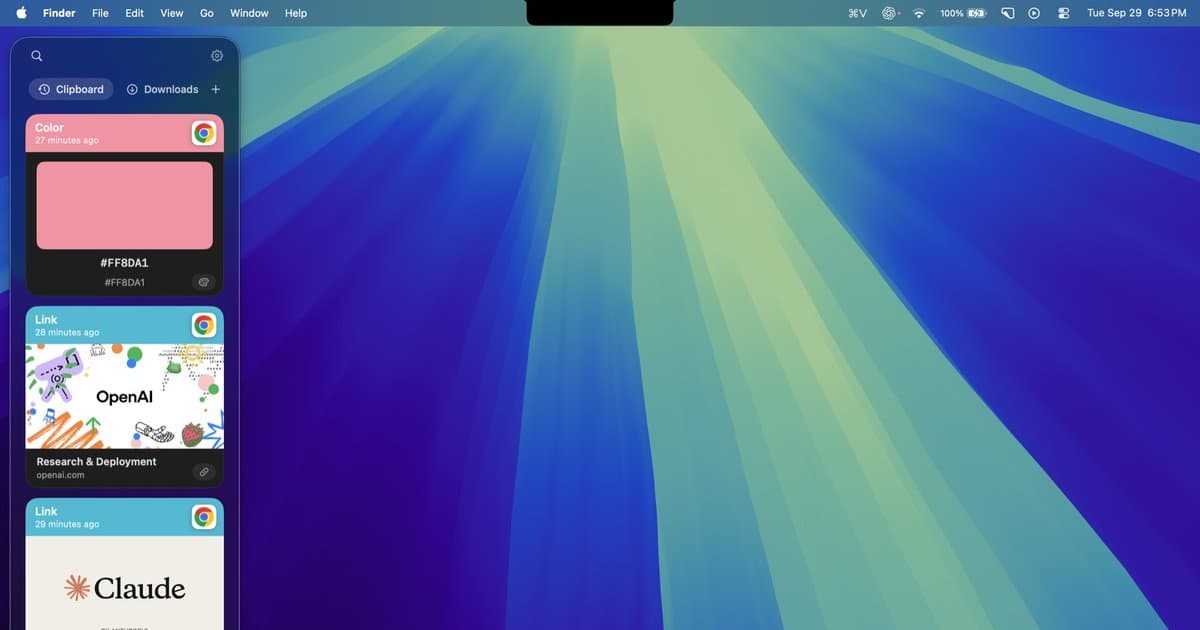
You copied something an hour ago, copied something else since, and now you want the first thing back. Where does a Mac keep that? The short answer depends on which macOS you run. The clipboard itself holds one item. macOS Tahoe added a clipboard history inside Spotlight. Everything beyond that is a third-party app.
This guide walks through each option in order: what macOS shows you for free, what Universal Clipboard does and does not do, and four apps people use for a longer history. Product details come from each official site or Apple's own guides. If a source does not say something, this page does not claim it.
See what is on the clipboard now
The Mac clipboard (Apple calls it the Clipboard) holds the most recent thing you copied. Copy something new and it replaces the old item. To look at the current item:
- Click the Finder icon in the Dock, or click the desktop.
- In the menu bar, choose Edit > Show Clipboard.
A small window shows the current contents: text, an image, or the name of a file you copied. It is a viewer. You cannot pick an older item, because there is no older item. On macOS 15 Sequoia and earlier, this single item is all the system keeps.
If you are comfortable in Terminal, pbpaste prints the current text on the clipboard. Same limit: one item.
Clipboard history in Spotlight (macOS Tahoe)
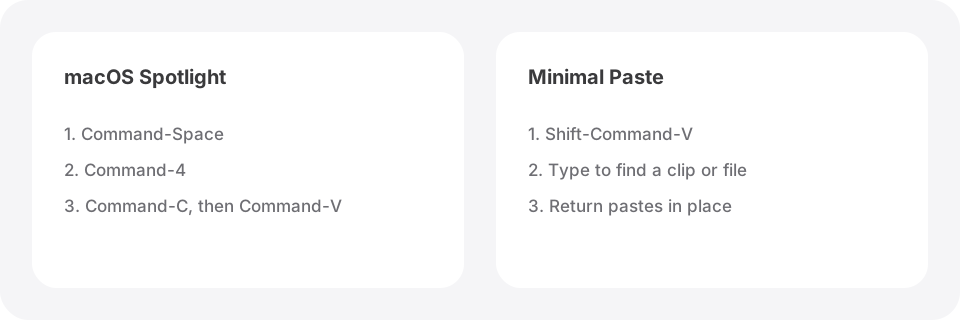
macOS Tahoe 26 added clipboard history to Spotlight. Apple's Mac User Guide describes the steps:
- Press Command-Space bar to open Spotlight.
- Press Command-4, or click to the right of the search field.
- The first time, macOS may ask whether to allow results from the Clipboard. Click Allow.
- Type to search the history.
- Select an item and press Command-C (or click to the right of it) to copy it.
- Click where you want it, then press Command-V.
You can erase the history from the same view with Clear History. In System Settings > Spotlight, Apple lists a Results from Clipboard switch, a choice of how long history stays visible (30 minutes, 8 hours, or 7 days), and a Clear Clipboard History button. Those timing options arrived in macOS 26.1. Apple also warns that sensitive information may appear on the Clipboard.
For many people this is enough, and it costs nothing. The limits are the longest window (7 days), the copy-then-paste step, and the fact that it is a Spotlight search rather than a shelf you keep open. There are no pins or groups described on Apple's pages. If you run macOS 14 or 15, you do not have it at all. The side by side is on Minimal Paste vs macOS clipboard history.
Universal Clipboard is not a history
Universal Clipboard lets you copy on one Apple device and paste on another. Copy a link on your Mac, paste it on your iPhone. Apple's requirements: both devices signed in to the same Apple Account, Wi-Fi, Bluetooth, and Handoff turned on, and the devices near each other.
It does not store anything. Apple says copied content is available on the Clipboard for a short time, and Apple describes it as a feature you do not see. Think of it as one shared slot, not a list. Some clipboard apps can save an item from Universal Clipboard into their own history, but that is the app doing the saving.
Maccy: free and open source
Maccy describes itself as a clipboard manager that does one job: keep your copy history at hand. It is open source under the MIT license, and its site says it is and will always be free. History is stored on your computer. If your password manager removes a copied password from the clipboard, Maccy removes it too.
The Maccy README lists ⇧⌘C to open the history, or a click on its menu bar icon. Type to filter and press Return. It installs from GitHub releases or with brew install maccy. If you want a fast, free list in the menu bar, start here. More detail on Maccy alternatives.
Raycast clipboard history
If you already use Raycast as a launcher, clipboard history is built in. Raycast's pages say it keeps text, images, files, links, emails, and colors. You search a list and press Return to paste into the app you were using. History stays on your Mac and is encrypted, and password manager entries are ignored by default.
The free plan keeps history for up to 3 months. Longer windows (6 months, 1 year, or unlimited) are part of Raycast Pro, which is $10 per month or $96 per year and covers far more than the clipboard. You open it with the Clipboard History command and can assign your own hotkey. See Minimal Paste vs Raycast clipboard history.
Paste: history on every Apple device
Paste works on Mac, iPhone, and iPad, and every plan includes all three. The official pricing page lists $2.49 per month or $29.99 billed annually, and a Lifetime Plan is also offered. Paste for Mac needs macOS 14 or later, and you can try it for 7 days without a credit card.
The Paste site says it saves everything you copy with no limit, lets you search the whole history, and lets you pin snippets and links. Data stays on your devices and in your private iCloud. Choose Paste if the same history on your iPhone matters to you. If the subscription is the sticking point, read Paste alternatives without a subscription or the Paste alternatives table.
Minimal Paste: $9.99 once
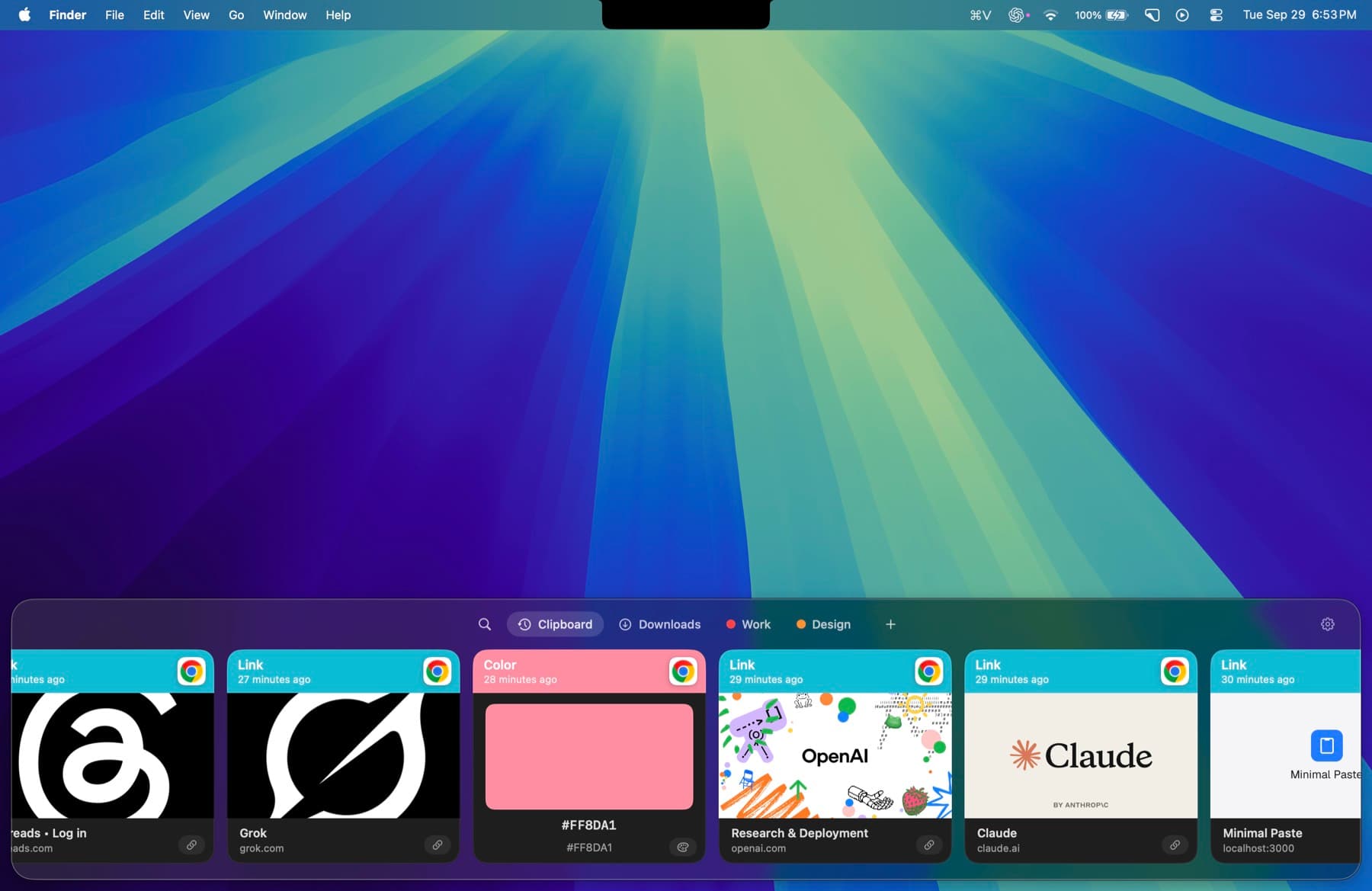
Minimal Paste is the app this site sells, so weigh this section with that in mind. It is a Mac-only clipboard manager for macOS 14 Sonoma or later. One purchase is $9.99 and covers 3 Macs. The full app runs for 7 days with no credit card.
- ⇧⌘V opens the shelf. Arrow keys move, Return pastes into the app you were using.
- The shelf filters as you type: text, images, links, files, and colors.
- Pinned clips stay put. Retention never removes them.
- Name a group, give it a color, and keep related clips together.
- Select several clips and paste them together.
- Add Downloads, Screenshots, or any folder, including subfolders, and paste the files inside.
- Put the shelf on the bottom, left, or right, or open it as a window.
History stays on this Mac. There is no account, no iCloud, and no sync to other devices, and password managers are ignored. Normal ⌘C and ⌘V keep working; the shelf is a separate shortcut. If you want your history on an iPhone too, Paste is the better fit. If you want a visual shelf and files from folders on a Mac, try Minimal Paste. The Folders shelf has its own walkthrough: How to paste screenshots and downloads without opening Finder.
Which one to use
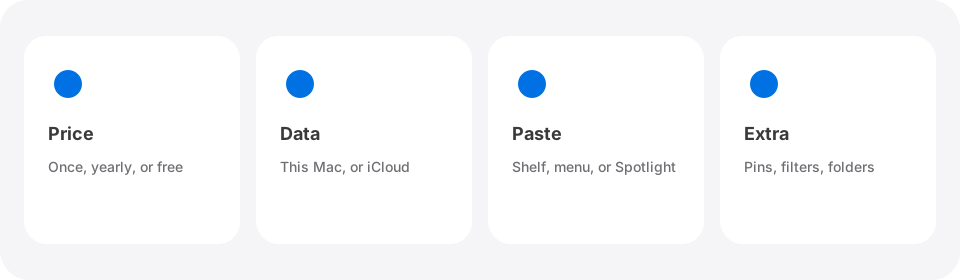
- Only need to check the last copy? Finder > Edit > Show Clipboard.
- On macOS Tahoe and only need the last few hours or days? Spotlight, Command-4.
- Want a free, open source history list? Maccy.
- Already live in Raycast? Use its clipboard history.
- Need history on iPhone and iPad as well? Paste.
- Want a one-time $9.99 Mac app with pins, groups, and a Folders shelf? Minimal Paste.
For a wider comparison that also covers Pastebot and PastePal, see Best clipboard managers for Mac in 2026 and the alternatives index.
Sources
Try Minimal Paste
$9.99 once for 3 Macs. 7-day trial, no credit card. Clipboard history stays on this Mac.