 Minimal Paste
Alfred clipboard history vs Minimal Paste
October 23, 2026

Alfred is one of the best known Mac launchers, and its Powerpack includes a clipboard history. If you already own the Powerpack, you may wonder whether a separate clipboard app is worth it. If you do not, you may wonder whether to buy a launcher just for the clipboard.
This page compares Alfred's Clipboard History with Minimal Paste, the app this site sells. Alfred details come from Alfred's own help pages and shop as of October 2026. Where Alfred's pages do not say something, this page does not claim it.
The short answer
- Already use Alfred with the Powerpack? Turn on its Clipboard History first. It is included and it is good.
- Want snippets with text expansion, workflows, and a launcher in one purchase? Alfred's Powerpack covers all of it.
- Want a visual shelf of recent clips, pins, colored groups, and your Downloads or Screenshots folder next to them, for $9.99 once? Try Minimal Paste.
What Alfred's Clipboard History does
Clipboard History is a Powerpack feature. The free core of Alfred does not include it. Alfred's help page says the feature is off by default for privacy reasons. You enable it in Alfred's Preferences under Features > Clipboard and grant Alfred Accessibility permission in macOS.
- It keeps text, images, and file links. You choose which types to save.
- You choose how long clips are kept: 24 hours, 7 days, 1 month, or 3 months.
- A hotkey opens the Clipboard History viewer. Type to filter, and pasting on Return is on by default. The hotkey and keyword can be changed.
- Command-S saves a text clip as a snippet, and Snippets can auto-expand when you type a short keyword.
- Clipboard Merging, when turned on, appends a new copy to the previous text clip when you press Command and double-tap C.
- Alfred ignores password apps such as Keychain Access and 1Password by default, ignores concealed clipboard data by default, and lets you add more apps to ignore.
You clear history by typing "clear" in Alfred and choosing the last 5 minutes, 15 minutes, or everything. Single items go with Fn-Delete.
What Minimal Paste does
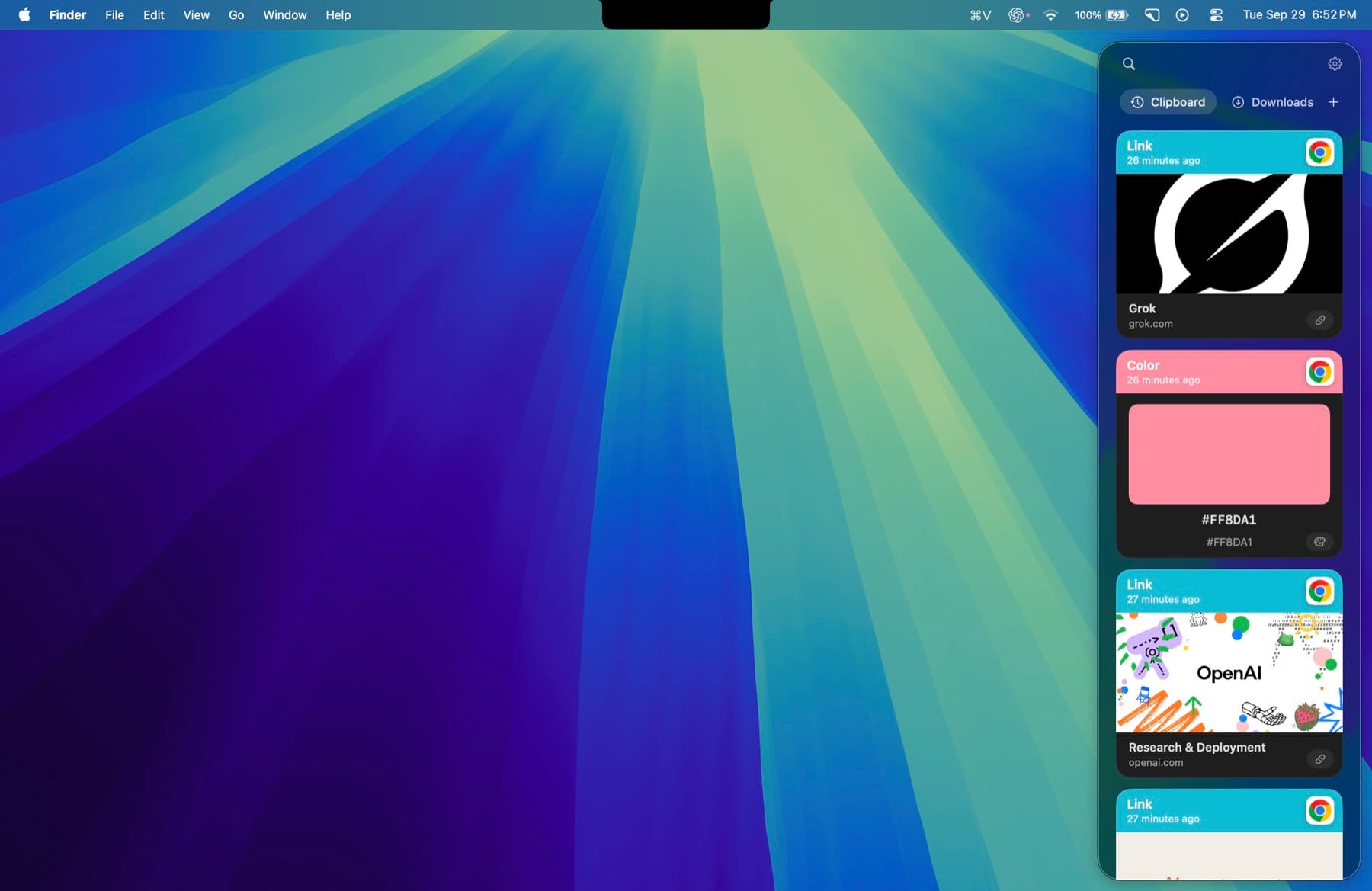
Minimal Paste does one job: clipboard history on a Mac, shown as a shelf of cards. It needs macOS 14 Sonoma or later.
- ⇧⌘V opens the shelf. Arrow keys move, Return pastes into the app you were using.
- The shelf filters as you type: text, images, links, files, and colors.
- Pinned clips stay put. Retention never removes them.
- Name a group, give it a color, and keep related clips together.
- Select several clips and paste them together.
- Add Downloads, Screenshots, or any folder, including subfolders, and paste the files inside.
- Put the shelf on the bottom, left, or right, or open it as a window.
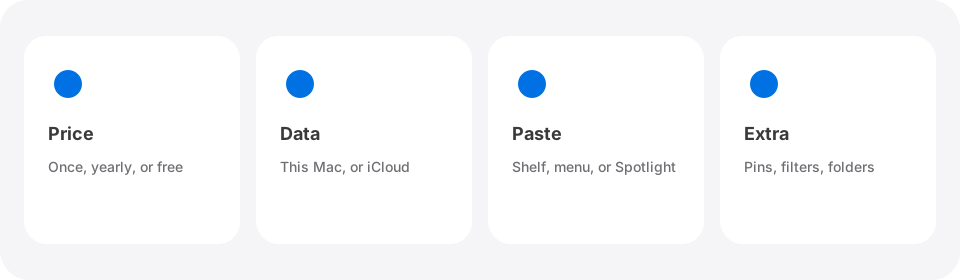
History stays on this Mac. There is no account, no iCloud, and no sync, and password managers are ignored. Normal ⌘C and ⌘V keep working.
Price
Alfred's core app is free. Clipboard History needs the Powerpack. The Alfred shop lists two single-user licenses: a v5 License for £34, and a Mega Supporter license for £59 with free lifetime upgrades. The shop also says a purchase now includes a free upgrade to Alfred 6, which Alfred has announced for this autumn. Both are one-time purchases, and they buy the whole Powerpack, not only the clipboard.
Minimal Paste is $9.99 once and covers 3 Macs. The full app runs for 7 days with no credit card. Neither app is a subscription.
Side by side
- What you get: Alfred is a launcher with workflows, snippets, and clipboard history. Minimal Paste is a clipboard manager only.
- How history looks: Alfred shows a searchable viewer you open with a hotkey. Minimal Paste shows a shelf of visual cards you open with ⇧⌘V.
- How long history lasts: Alfred offers 24 hours up to 3 months. Minimal Paste keeps pinned clips no matter what retention you set.
- Organizing: Alfred turns clips you want to keep into snippets with text expansion. Minimal Paste uses pins and named, colored groups.
- Files: Alfred keeps file links you copied. Minimal Paste can also show the contents of folders you add, such as Screenshots.
- macOS: Alfred 5 runs on macOS 10.14 or later. Minimal Paste needs macOS 14 or later.
Can you use both?
Yes, as long as the shortcuts do not clash. Many people keep Alfred for launching, snippets, and workflows, and turn off Alfred's Clipboard History so only one app records copies. If you try that, run Minimal Paste for the 7-day trial before you decide, and keep Alfred's Snippets for text you type often.
Which one to pick
- You own the Powerpack and like Alfred's viewer: stay with Alfred.
- You want text expansion and workflows too: buy the Powerpack.
- You are on macOS 13 or older: Alfred, since Minimal Paste needs macOS 14.
- You want a visual shelf, pins, groups, and folder files in one place for $9.99: Minimal Paste.
For other options, read Best clipboard managers for Mac in 2026, How to see clipboard history on Mac, or compare with Raycast clipboard history, another launcher with a built-in history. The full list is on the alternatives index.
Sources
Try Minimal Paste
$9.99 once for 3 Macs. 7-day trial, no credit card. Clipboard history stays on this Mac.