 Minimal Paste
Raycast Clipboard History vs Minimal Paste
November 4, 2026
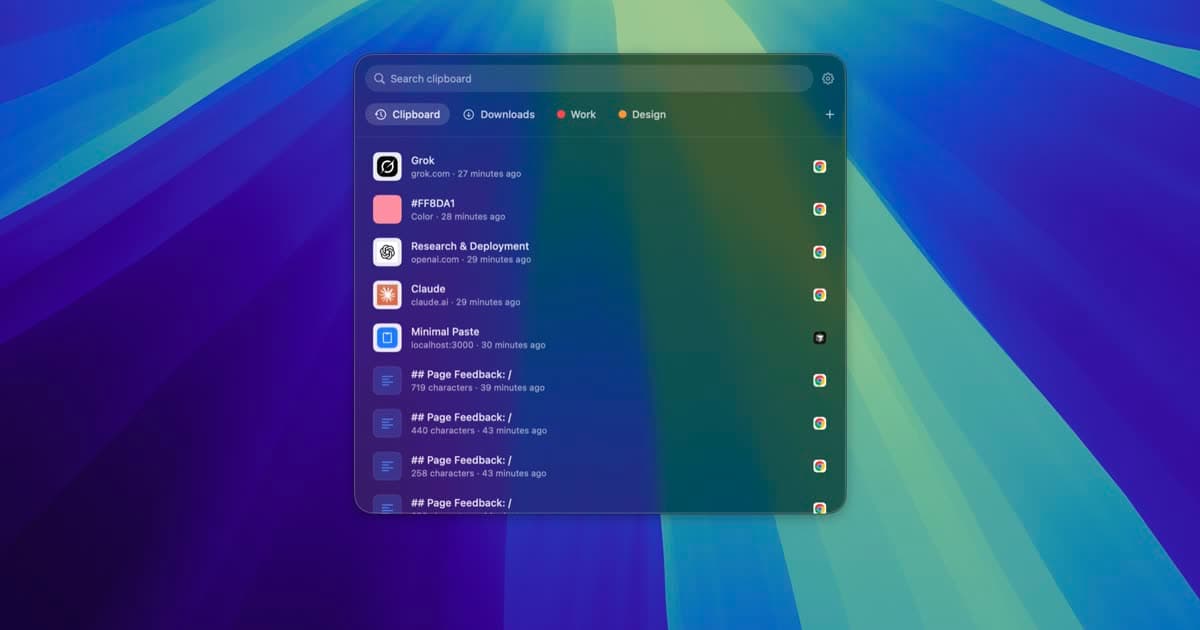
If you use Raycast, you already have a clipboard manager. Clipboard History is one of its built-in commands, and it is free. So the real question is not which app is better at everything. It is whether the clipboard part of Raycast is enough for you, or whether you want a separate app built only for clipboard history.
This page compares Raycast Clipboard History with Minimal Paste, the app this site sells. Raycast details come from raycast.com, its pricing page, and the Raycast Manual as of November 2026. Where those do not say something, this page does not claim it.
The short answer
- Already live in Raycast and happy with a searchable list? Keep using Raycast Clipboard History. It is free and very good.
- Want history kept longer than 3 months, synced settings across Macs, or AI in the same launcher? That is Raycast Pro, from $10 a month or $96 a year.
- Want a visual shelf of cards, colored groups, and your Downloads or Screenshots folder next to your clips, with no account and no subscription? Try Minimal Paste for $9.99 once on up to 3 Macs.
What Raycast Clipboard History does
Raycast is a launcher that replaces Spotlight, with many built-in commands and a store of community extensions. Clipboard History is one of those commands. The Raycast Manual says it keeps text, images, files, links, emails, and colors.
- You open the Clipboard History command from Raycast, or give it your own hotkey or alias.
- Start typing to filter the list, and a detail pane shows the full clip.
- ⌘P switches the content type filter, and ⌘⇧P pins a clip to the top.
- You can paste as plain text or rich text.
- Clips are encrypted on your Mac, and copies from password managers are ignored by default.
- It can save items that arrive from your iPhone or iPad through Apple's Universal Clipboard.
Retention is the main limit on the free plan. You can keep history for 1 day up to 3 months. The 6 month, 1 year, and unlimited options need Raycast Pro, and even on Pro you have to pick the longer option yourself in Settings.
What Minimal Paste does
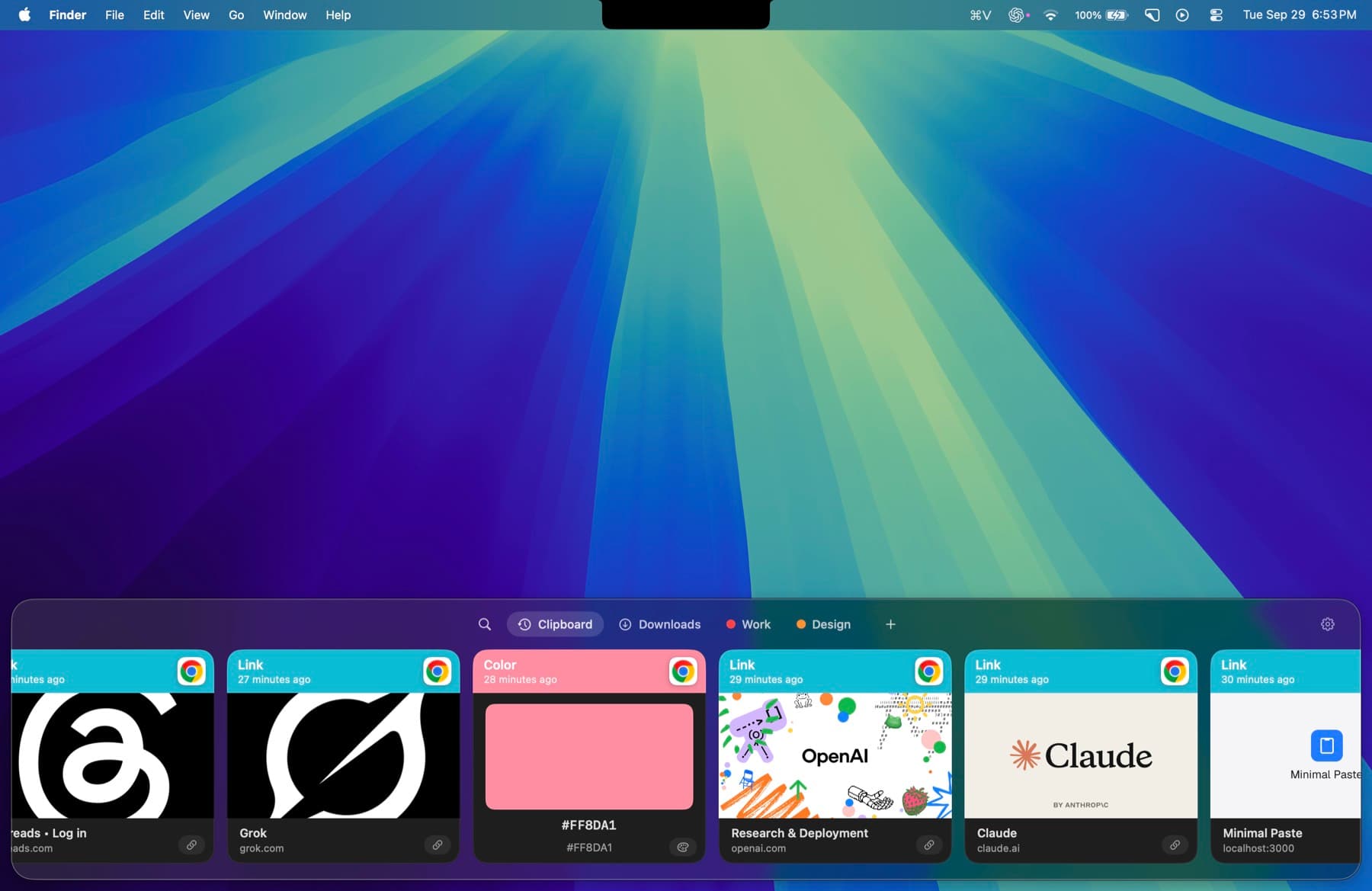
Minimal Paste does one job: clipboard history on a Mac. It is a shelf of cards along the edge of the screen, and it needs macOS 14 Sonoma or later.
- ⇧⌘V opens the shelf. Arrow keys move, Return pastes into the app you were using.
- The shelf filters as you type: text, images, links, files, and colors.
- Pinned clips stay put. Retention never removes them.
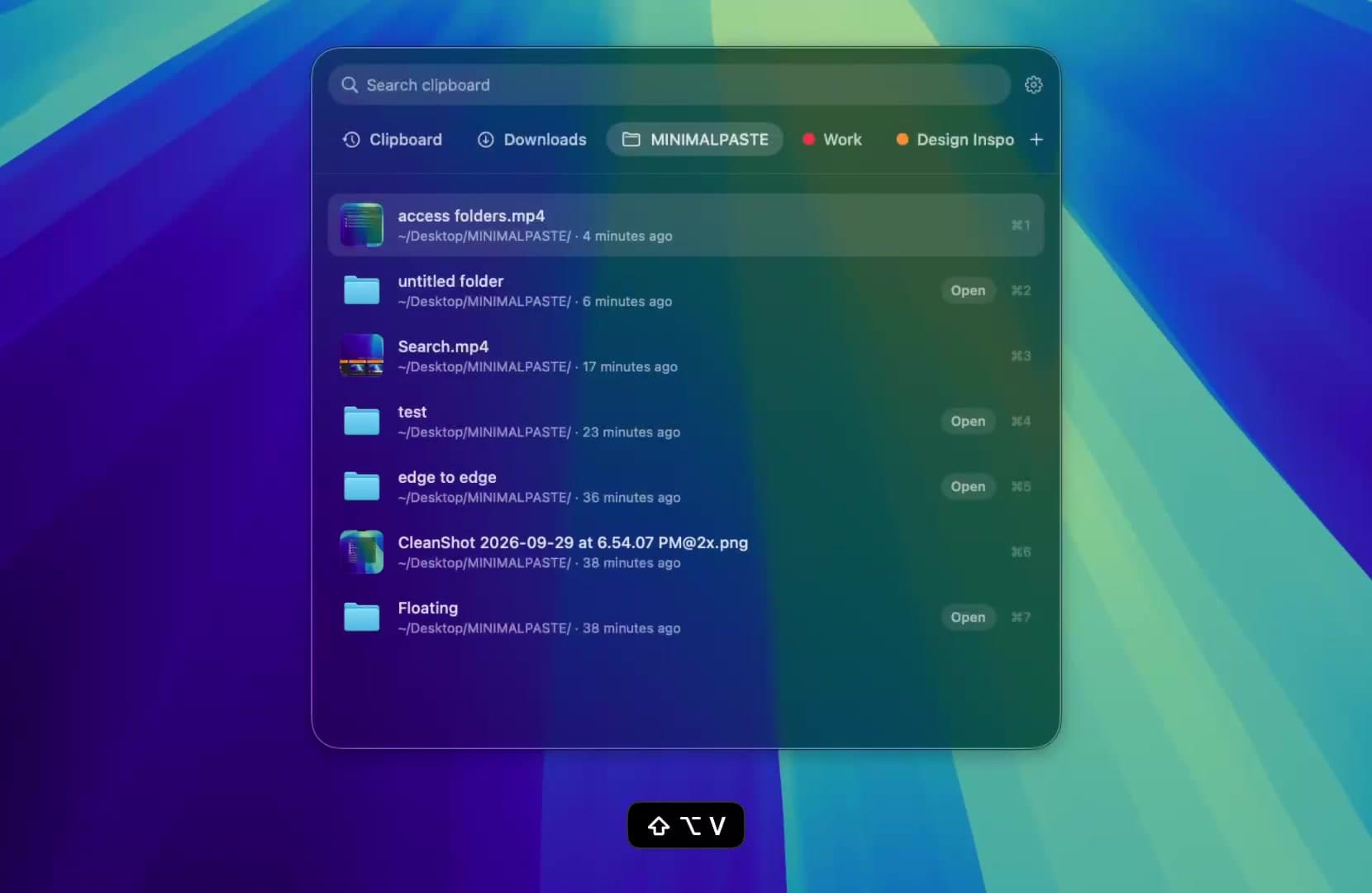
- Name a group, give it a color, and keep related clips together.
- Select several clips and paste them together.
- Add Downloads, Screenshots, or any folder, including subfolders, and paste the files inside.
- ⇧Return pastes a clip as plain text, or turn on always paste plain text in Settings.
- Put the shelf on the bottom, left, or right, or open it as a window.
History stays on this Mac. There is no account, no iCloud, and no sync, and password managers are ignored. Normal ⌘C and ⌘V keep working.
Price
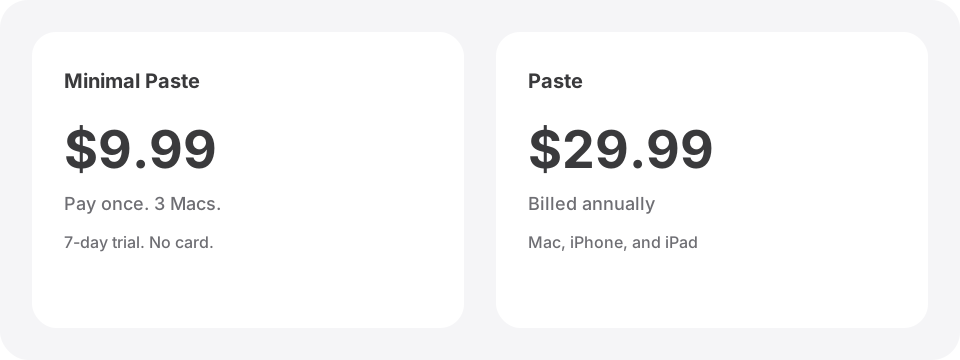
Raycast is free for personal use, and Clipboard History is part of the free plan. Raycast Pro is $10 a month or $96 a year. Pro+ is $20 a month and Max is $50 a month. Every paid plan includes Raycast AI, and there is no Pro plan without AI, though you can turn AI off in Settings. Pro adds unlimited Clipboard History, Cloud Sync, Custom Themes, and more.
Minimal Paste is $9.99 once and covers 3 Macs. The full app runs for 7 days with no credit card. If you only want longer clipboard history, that is less than one month of Raycast Pro on a yearly plan.
Side by side
- Price: Raycast Clipboard History is free with up to 3 months of history. Longer history is in Pro at $10 a month or $96 a year. Minimal Paste is $9.99 once for 3 Macs.
- What it is: Raycast is a full launcher with clipboard history inside. Minimal Paste is only a clipboard manager.
- How history looks: Raycast shows a searchable list with a detail pane. Minimal Paste shows a shelf of visual cards, or a window.
- Organizing: Raycast has pinned clips and type filters. Minimal Paste has pinned clips plus named, colored groups.
- Files: Both keep files you copied. Minimal Paste can also show the contents of folders you add, such as Screenshots.
- Account: Raycast uses a Raycast account for Pro and Cloud Sync. Minimal Paste has no account at all.
- Platforms: Raycast runs on Mac and Windows, with an iOS app. Minimal Paste is Mac only.
Which one to pick
- You already open Raycast all day and a list is enough: Raycast.
- You want AI, Cloud Sync, and unlimited history in one subscription: Raycast Pro.
- You also work on Windows: Raycast.
- You want a visual shelf, colored groups, folder files, and history that never expires, for $9.99 once on up to 3 Macs: Minimal Paste.
You can use both. Keep Raycast as your launcher and turn off its Clipboard History in Settings so Minimal Paste is the only app recording copies. That way your history stays in one place.
For other options, read Best clipboard managers for Mac in 2026, Alfred clipboard history vs Minimal Paste, Maccy vs Minimal Paste, or PastePal vs Minimal Paste. If you want to compare more apps, see Raycast clipboard history alternatives.
Sources
Try Minimal Paste
$9.99 once for 3 Macs. 7-day trial, no credit card. Clipboard history stays on this Mac.