 Minimal Paste
Maccy vs Minimal Paste
October 30, 2026

Maccy is the clipboard manager most Mac users hear about first. It is free, open source, and fast, and for a lot of people it is all they will ever need. So why would anyone pay for a different one?
This page compares Maccy with Minimal Paste, the app this site sells. Maccy details come from maccy.app, the Maccy README, and its source code on GitHub as of October 2026. Where those do not say something, this page does not claim it.
The short answer
- Want a free, open source history list you open with a shortcut? Use Maccy. It is very good at that one job.
- Want to read or change the source code, or install with Homebrew? Maccy.
- Want a visual shelf of cards, colored groups, and your Downloads or Screenshots folder next to your clips, for $9.99 once? Try Minimal Paste.
What Maccy does
Maccy calls itself a clipboard manager that does one job: keep your copy history at hand. It lives in the menu bar and opens a compact list. It needs macOS 14 Sonoma or later.
- ⇧⌘C opens the list, or click the menu bar icon. Type to search, Return selects.
- Return copies the item by default. ⌥Return pastes it, and ⌥⇧Return pastes it without formatting. A setting can make paste the default.
- ⌥P pins an item to the top of the list with its own keyboard shortcut. Clearing history leaves pinned items unless you ask to remove them too.
- It stores text, images, and files. Settings let you choose which types to keep and how many items to keep. The default is 200.
- Search can be exact, fuzzy, regular expression, or mixed.
- You can ignore chosen apps, ignore copies that match a pattern, or pause recording from the menu bar icon.
On privacy, maccy.app says everything is stored on your computer, and if your password manager removes a copied password from the clipboard, Maccy removes it too. By default it skips clipboard data that apps mark as concealed or transient.
What Minimal Paste does
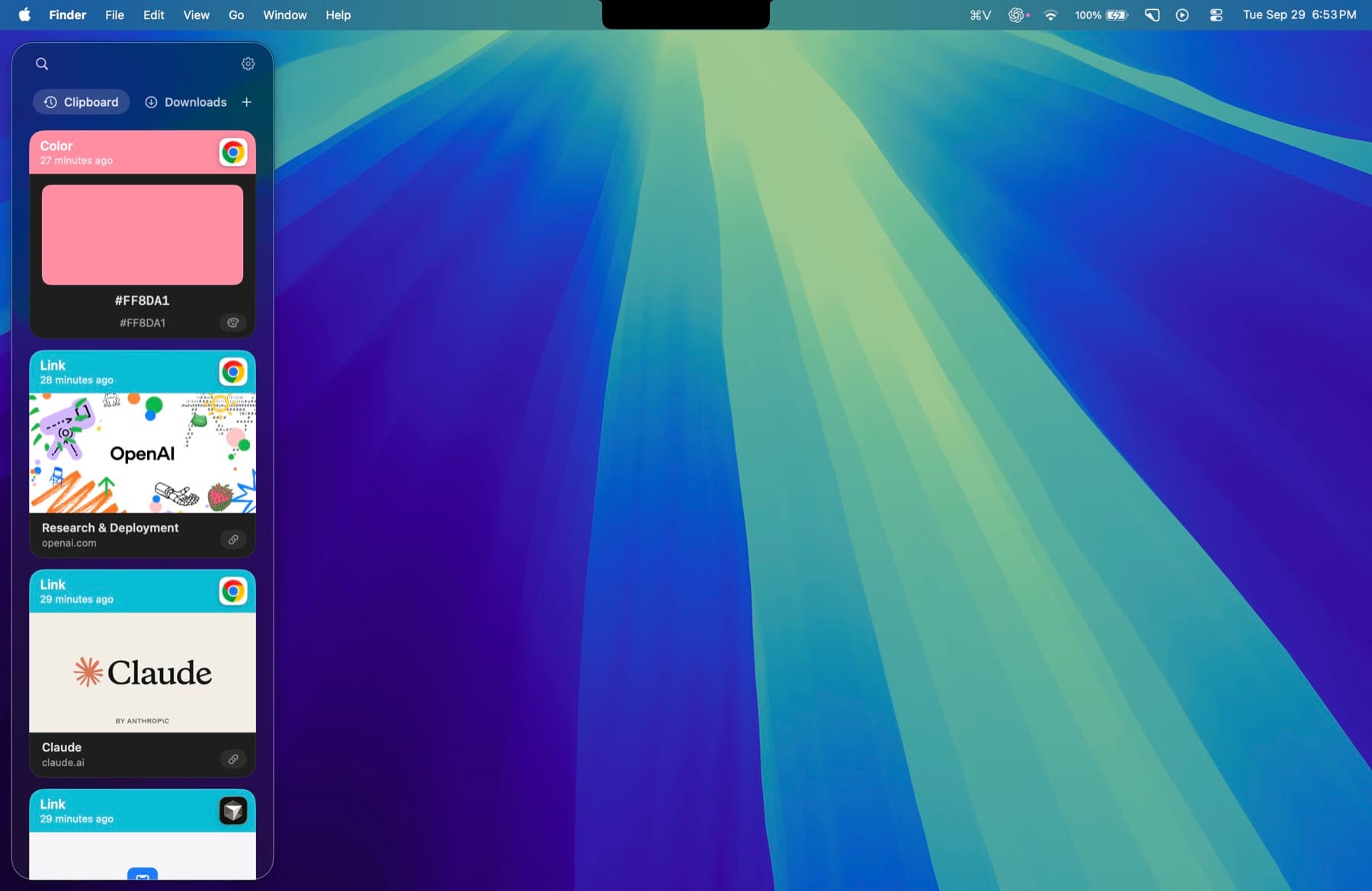
Minimal Paste also does one job: clipboard history on a Mac. The difference is how it shows it. Instead of a list, it is a shelf of cards along the edge of the screen. It needs macOS 14 Sonoma or later.
- ⇧⌘V opens the shelf. Arrow keys move, Return pastes into the app you were using.
- The shelf filters as you type: text, images, links, files, and colors.
- Pinned clips stay put. Retention never removes them.
- Name a group, give it a color, and keep related clips together.
- Select several clips and paste them together.
- Add Downloads, Screenshots, or any folder, including subfolders, and paste the files inside.
- ⇧Return pastes a clip as plain text, or turn on always paste plain text in Settings.
- Put the shelf on the bottom, left, or right, or open it as a window.
History stays on this Mac. There is no account, no iCloud, and no sync, and password managers are ignored. Normal ⌘C and ⌘V keep working.
Price
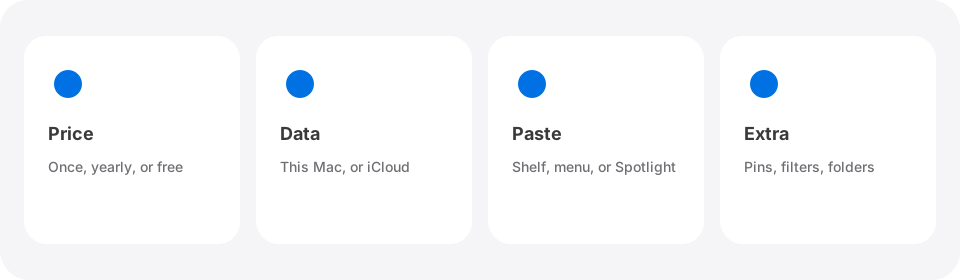
Maccy is free. The official site says it is open source under the MIT license and will always be free. You can download it from the GitHub releases page or install it with brew install maccy. It is also sold on the Mac App Store, listed at $9.99 in the US store, which is a way to support the project and get updates through the App Store.
Minimal Paste is $9.99 once and covers 3 Macs. The full app runs for 7 days with no credit card. Neither app is a subscription.
Side by side
- Price: Maccy is free from its website and GitHub. Minimal Paste is $9.99 once for 3 Macs.
- Source code: Maccy is open source under the MIT license. Minimal Paste is not open source.
- How history looks: Maccy shows a compact text list, opened with ⇧⌘C. Minimal Paste shows a shelf of visual cards, opened with ⇧⌘V.
- Pins: Both have them. Maccy pins items to the top of its list with a shortcut. Minimal Paste pins clips so retention never removes them.
- Organizing: Maccy keeps one list. Minimal Paste adds named, colored groups and lets you select several clips to paste together.
- Files: Both keep files you copied. Minimal Paste can also show the contents of folders you add, such as Screenshots.
- Plain text: Maccy uses ⌥⇧Return. Minimal Paste uses ⇧Return, or a setting to always paste plain text.
- Privacy: Both keep history on your Mac and skip passwords from password managers. Maccy also lets you ignore any app you pick.
- macOS: Both need macOS 14 Sonoma or later.
Which one to pick
- You want to spend nothing: Maccy.
- You want open source code you can inspect or change: Maccy.
- You like a small, text-first list near your cursor: Maccy.
- You want a visual shelf, colored groups, bulk paste, and folder files in one place for $9.99: Minimal Paste.
There is no cost to trying both. Install Maccy, then run Minimal Paste for the 7-day trial. Their default shortcuts differ, but only let one of them record copies at a time so your history stays in one place.
For other options, read Best clipboard managers for Mac in 2026, Alfred clipboard history vs Minimal Paste, or How to see clipboard history on Mac. If you already use Maccy and want something different, see Maccy alternatives. The full list is on the alternatives index.
Sources
Try Minimal Paste
$9.99 once for 3 Macs. 7-day trial, no credit card. Clipboard history stays on this Mac.